Business Hurricane Survival
Having operated in Florida for almost 25 years, we have experienced a few hurricanes. Every year businesses in the SE and Gulf Coast face major weather events, most notably hurricanes. Flooding and tornados fill in the blanks between hurricanes just to keep everyone on their toes. The devastation in Ashville, NC forces businesses well inland are now forced to consider their risk. Millions of homes and businesses have been added to the “risk zone” with the impact seen on Western North Carolina and the Smokey Mountain region.
Improving business continuity is something a business should consider every day in case of a fire or theft. The easiest step a business can take is move to the cloud. Microsoft 365 is one cloud solution that eliminates the need for local hardware for file storage. A backup solution or disaster recovery plan is still needed. A budget should be included to ensure the program is not skipped because a storm hasn’t hit in a few years.

Practical steps you can take now to protect your business.
- Review your insurance policies for wind and water coverage.
- Create or review the company disaster plan. This helps everyone think about all precautions.
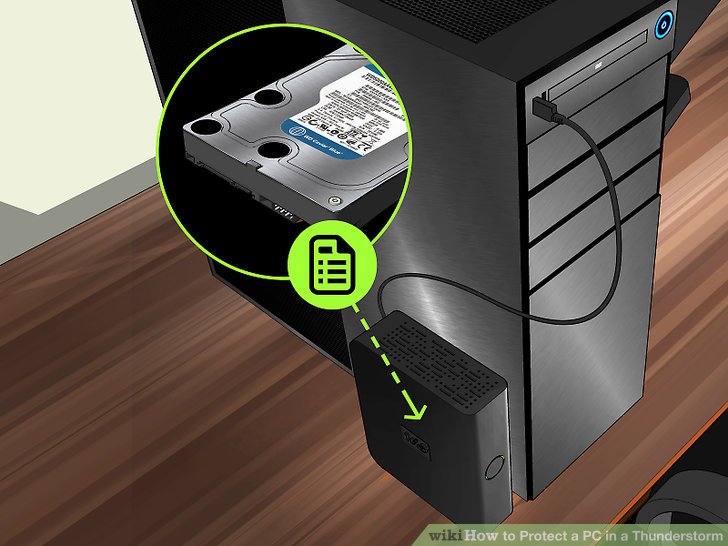
- Check backup services to ensure they are running. If you do onsite backups, make a copy and send them home with several people. Backing up to the cloud is the safest plan.
- Test restoring a backup copy to confirm the process works.
- Move files to cloud. Put them in OneDrive or Google Drive until you can implement a more permanent solution like Microsoft SharePoint.
- Image computers and servers and store them offsite. This will facilitate a rapid recovery.
- Check backups and run current backups to be sure they are working correctly.
- Place computers and electronics in trash bags.
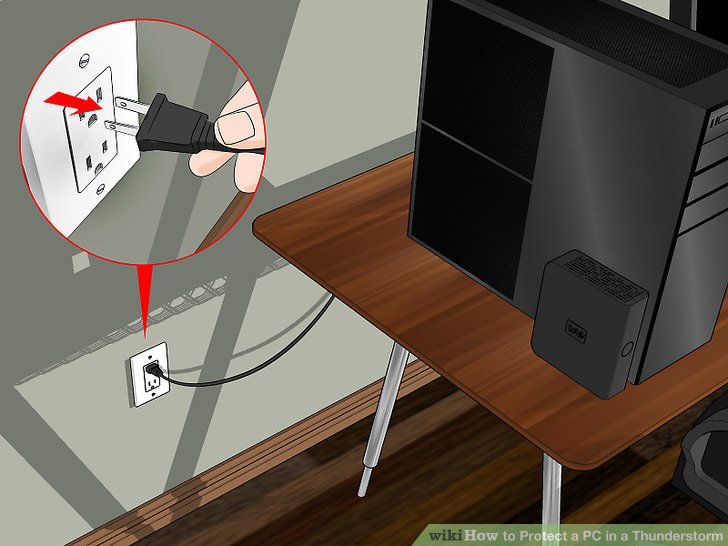
- Unplug electronics and cords.
- Raise items off floor
- Consider letting employees take workstations home to spread out the risk.
- Set customer and employee expectations for delays in service.
- Get billing done early to keep cash flow moving.
- Have a plan to forward phones and answer phones.
- Update your voice mail to communicate with customers.
- Moves vehicles to high ground to prevent flooding.
- Park vehicles in an area protected from the wind.
- Park vehicles close to each other so only outside vehicles are damaged.
- Park small vehicles between large vehicles to protect smaller lighter vehicles.
- Close interior doors to reduce damage if a window breaks.
- Board windows.
- Sandbag doors.
- Clean gutters and remove debris on roof.
- Clear drainage ditches to get water away from home.
- Remove dead or weak trees and limbs.
- Bring in small items that can fly in wind.
- Leave the area early and come back ready.
Cloud-Based Disaster Recovery for Florida Businesses
For Tampa Bay businesses, the most critical step in hurricane preparedness is ensuring your data is safe offsite. Traditional on-premises backups can be destroyed or inaccessible during a storm. Cloud-based disaster recovery (DR) solves this by replicating your critical systems and data to secure offsite data centers.
According to IBM’s 2026 Cost of a Data Breach report, organizations with tested incident response and disaster recovery plans save an average of $1.5 million per breach. A managed IT provider like IGTech365 can design and test your DR plan annually before hurricane season. An IT consulting engagement can identify gaps in your current disaster recovery setup. Microsoft 365 provides real-time file collaboration that keeps your team productive even during disruptions.
Ensure your Tampa Bay business is protected before the next storm. Call (866) 365-7798 to schedule a disaster recovery assessment.
Frequently Asked Questions
How often should you test your disaster recovery plan?
Industry standards recommend testing your disaster recovery plan at least annually, but Florida businesses facing hurricane season should test quarterly during peak season. According to IBM’s 2026 Cost of a Data Breach report, organizations with tested incident response plans save an average of $1.5 million per breach.
Can Microsoft 365 serve as a complete backup solution?
No, Microsoft 365 includes built-in data retention and recovery features, but it is not a complete backup solution. Microsoft recommends a third-party backup for comprehensive protection against accidental deletion, ransomware, and retention policy gaps. IGTech365 recommends a layered approach combining M365 with dedicated cloud backup.
Last updated: July 29, 2026
About IGTech365: Serving Tampa Bay businesses since 2005, IGTech365 is a trusted managed IT and cybersecurity provider with certifications including Microsoft Silver Partner, HIPAA-compliance expertise, and a 98% client retention rate.
Protect your Tampa Bay business with a disaster recovery plan built for Florida. Call (866) 365-7798 for a free DR assessment.