
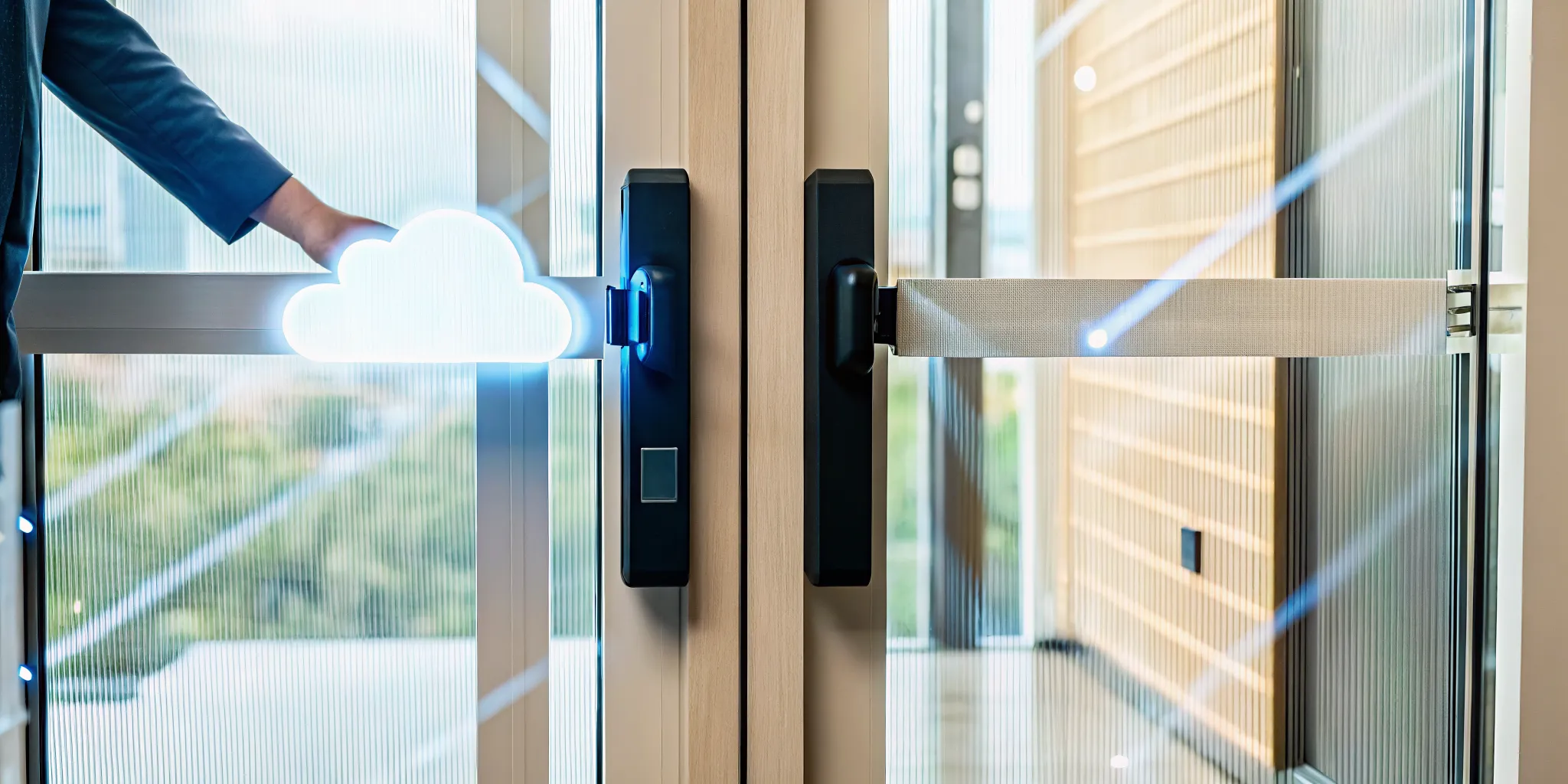
For many businesses, the conversation about Cloud-Based vs On-Premise Access Control Systems begins and ends with security. There’s a common belief that keeping your servers in-house is automatically safer, but that’s often not the case. A well-managed cloud system, secured by a provider with certifications like SOC 2 and ISO 27001, can offer a higher level of security than most small businesses can achieve on their own. The key is understanding the shared responsibility model. The provider secures the cloud infrastructure, while you manage user access and configurations, a process our managed IT team helps clients in Tampa perfect for industries with strict compliance needs like healthcare and law.
Key Takeaways
- Decide on upfront investment vs. ongoing subscription: An on-premise system requires a large initial purchase for hardware and software. A cloud system avoids this by using a predictable monthly fee that covers software, support, and updates, making it easier to budget.
- Prioritize total control or remote flexibility: Choose an on-premise system if your industry requires you to keep all data in-house for compliance. Opt for a cloud system if you need to manage access for multiple locations remotely and scale your business without buying new hardware.
- Rethink what makes a system secure: A cloud system’s security relies on the provider’s expert-managed infrastructure and your own smart access policies. This is a shift from on-premise, where you are solely responsible for everything from server maintenance to physical security.
What Is a Cloud-Based Access Control System?
A cloud-based access control system is a modern approach to managing who can enter your building or access your digital resources. Instead of housing all the necessary server hardware and software on-site, this system uses the cloud to handle everything. Think of it as a digital gatekeeper that lives online, allowing you to secure your business while giving you the flexibility to manage access from anywhere. This approach is a core component of a strong cybersecurity strategy, especially for businesses that are growing, have multiple locations, or embrace remote work.
For many Tampa businesses, moving security management to the cloud simplifies operations significantly. You no longer need a dedicated server closet or an IT expert on-site just to add or remove an employee’s access credentials. The entire system is managed through a web-based portal or a mobile app, making it a scalable and efficient solution. It integrates smoothly with other cloud services, like Microsoft 365, creating a unified and secure environment for your team to work in. As your business evolves, a cloud system can easily adapt without requiring a massive overhaul of your infrastructure.
How It Works
The process behind a cloud-based system is straightforward and incredibly fast. When a user wants to access a secured door or a protected digital file, they present their credential, which could be a key card, a fob, or even an app on their smartphone. That request is instantly sent over a secure internet connection to the cloud platform. This platform acts as a central command center, checking the user’s identity against the access rules you’ve established. It verifies things like the time of day, the user’s role, and their specific permissions before granting or denying access, all within a fraction of a second.
Core Features: Remote Management, Auto-Updates, and Scalability
Three key features make cloud-based access control a powerful choice for modern businesses. First is remote management. You can control your entire security system from anywhere with an internet connection. If you need to grant a contractor temporary access to your Wesley Chapel office while you’re in St. Petersburg, you can do it from your laptop. Second, you get automatic updates. The service provider handles all software updates, security patches, and maintenance, so your system is always protected against the latest threats without you lifting a finger. This is a major benefit of a managed IT approach. Finally, the scalability is unmatched. Adding a new location or onboarding 20 new employees is as simple as updating your software settings, making it perfect for growing companies.
What Is an On-Premise Access Control System?
An on-premise access control system is a security solution where all the components, from the central server to the management software, are physically installed and run at your business location. Think of it as the traditional, self-hosted model for managing who can enter your building or specific areas within it. Unlike a cloud system that relies on remote servers, everything here is contained within your own network, giving you direct, physical control over your security infrastructure.
This means your team is responsible for the entire lifecycle of the system: purchasing the hardware, installing the software, and performing all ongoing maintenance, updates, and backups. While this requires a significant upfront investment in equipment and IT resources, it gives you unparalleled control. For businesses in Tampa that handle sensitive information, like law firms or healthcare providers, this direct oversight is often a non-negotiable requirement. The system’s performance and security are entirely in your hands, which can be a powerful advantage if you have the internal expertise or a trusted managed IT support partner to handle it. You’re not relying on a third-party’s uptime or security protocols; you’re building and managing your own.
How It Works
With an on-premise system, a dedicated server located right in your office acts as the brain of your entire security operation. When an employee swipes a keycard or enters a code, the reader sends that information to your local server, not across the internet. The server checks the credential against its internal database of permissions and instantly tells the door whether to unlock or remain secure. Because all this communication happens on your private network, it’s completely self-contained. Your organization is responsible for managing and maintaining all the equipment, software, and data on-site.
Core Features: Local Data, Customization, and Direct Control
On-premise systems are built around three key benefits that appeal to organizations with specific operational or compliance needs.
- Local Data: Your access data never leaves your building. Because it stays on your own servers, you have full custody and don’t have to worry about a third-party provider handling it. This is a critical feature for organizations with strict data privacy and security mandates.
- Customization: These systems are highly customizable, allowing you to build a solution that fits your exact operational rules. This is ideal for facilities with complex security requirements, like manufacturing plants or healthcare campuses, that need to meet specific compliance standards.
- Direct Control: You have complete authority over your security system and its data. If your internet connection goes down, your access control system keeps working because it runs on your local network, often with its own backup power. This ensures business continuity and reliable physical security, which is a core part of any effective disaster recovery plan.
Cloud vs. On-Premise: A Head-to-Head Comparison
Choosing between cloud and on-premise access control feels like a huge decision, but it gets a lot easier when you compare them side-by-side. The best fit for your Tampa business depends on your budget, IT resources, and long-term goals. Think of it less as “which is better” and more as “which is the right tool for my specific job.” Let’s break down the key differences so you can see exactly how they stack up in the areas that matter most.
Upfront vs. Ongoing Costs
With an on-premise system, you’re looking at a significant upfront investment. You have to purchase the servers, software licenses, and all the necessary hardware in one go. After that, you’ll have ongoing costs for maintenance, repairs, and any software updates, which can be unpredictable.
A cloud-based system flips this model. The upfront costs are much lower because you’re not buying servers. Instead, you pay a predictable monthly or yearly subscription fee. This fee typically bundles the software, automatic updates, and customer support into one manageable cost, making it easier to budget for. This subscription model is a core part of modern IT services that helps businesses manage cash flow effectively.
Scalability and Flexibility
If your business is growing, scalability is a major factor. With an on-premise system, adding a new location or even just a few more doors is a project. You have to buy and install more hardware, which takes time and money. Scaling down is even harder, often leaving you with expensive equipment you no longer need.
Cloud systems are built for flexibility. You can add or remove users and locations with just a few clicks in your management portal, and your subscription adjusts accordingly. This makes it simple to scale your security as your business evolves. For companies planning for growth, a cloud migration strategy for services like access control can provide the agility you need to adapt quickly.
Remote Access and Management
On-premise systems are traditionally managed from a dedicated computer on-site. While remote access can be configured, it often requires a VPN and adds another layer of complexity for your IT team to manage. System updates usually mean a technician has to physically visit your building.
In contrast, cloud-based access control is designed for remote management from the ground up. You can securely manage access, view activity logs, and change permissions from any device with an internet connection, whether you’re at another office in St. Petersburg or working from home. Updates are handled automatically by the provider, so your system is always current without any effort on your part.
Data Ownership and Privacy
When you use an on-premise system, you have complete physical control over your data because it’s stored on your own servers in your building. This can be a critical advantage if your industry has strict data residency rules or if you simply prefer to keep everything in-house. You are solely responsible for securing that data.
With a cloud system, your data is stored on the provider’s servers. While you still own your data, you are trusting your provider to protect it. This is why it’s crucial to work with a reputable vendor that has strong security protocols. As part of our cybersecurity services, we help clients vet cloud providers to ensure they meet the necessary compliance and privacy standards for their industry.
Maintenance and IT Overhead
An on-premise system puts all maintenance responsibilities on your shoulders. Your internal IT team has to handle server upkeep, software patches, troubleshooting, and hardware repairs. This can consume a lot of time and resources that could be spent on more strategic projects.
A cloud-based system dramatically reduces this burden. The provider takes care of all the backend infrastructure, including server maintenance, security updates, and performance monitoring. This frees up your IT staff and reduces operational overhead. For businesses without a dedicated IT department, this is a huge benefit, and it aligns perfectly with the goals of our managed IT support plans.
System Reliability and Internet Needs
The reliability of an on-premise system depends entirely on your own infrastructure. As long as your server has power, it will continue to function, even if the internet goes down. This gives you direct control over uptime for local operations.
Cloud systems, on the other hand, are dependent on a stable internet connection for real-time management and updates. However, most modern cloud access control systems are designed with offline functionality, meaning keycards and fobs will still work to open doors even if your internet connection is temporarily lost. The overall system reliability also depends on the provider’s uptime, which is typically very high (often 99.9% or better).
Disaster Recovery and Business Continuity
With an on-premise system, your access control data is vulnerable to any disaster that affects your physical building, such as a fire, flood, or hurricane. Unless you have a separate, robust off-site backup plan, you could lose all your security data and configurations.
Cloud systems have a major advantage here. Your data is automatically stored in secure, often geographically redundant data centers. This means a disaster at your Tampa office won’t wipe out your security information. Your data is safe and can be accessed as soon as you’re back online, making it an integral part of a solid business continuity plan. This aligns with the principles behind our data recovery services, which prioritize protecting your business from unforeseen events.
A Quick Look: Pros and Cons of Each System
Deciding between cloud and on-premise access control isn’t always straightforward. Each system comes with its own set of advantages and disadvantages that can significantly impact your budget, operations, and security posture. For a Tampa business, the right choice depends on factors like your industry, growth plans, and how much control you want over your infrastructure. A law firm in downtown Tampa might prioritize data control differently than a growing manufacturing plant near Orlando, for example.
To simplify your decision, let’s break down the pros and cons of each approach. Think of this as a quick-reference guide. We’ll look at what you gain and what you give up with both cloud-based and on-premise systems, helping you see which one aligns better with your company’s immediate needs and long-term goals. This comparison will give you a clearer picture of the trade-offs involved with cost, flexibility, and management. By understanding these key differences, you can avoid common pitfalls like overspending on features you don’t need or choosing a system that can’t grow with you.
Cloud-Based System: Pros & Cons
A cloud-based system is often the go-to for modern businesses that value flexibility and efficiency. The biggest advantage is remote management; you can add or remove users, check activity logs, and manage permissions from anywhere with an internet connection. Your provider handles all the server maintenance and software updates automatically, keeping your system secure without tasking your IT staff. This model also makes scaling a breeze. Adding a new office in Wesley Chapel or Orlando is as simple as adding new doors to your subscription, a process we can help with through our cloud migration services. The lower upfront cost, based on a predictable subscription fee, is another major draw.
However, there are a couple of trade-offs. The subscription model means you’ll have ongoing operational expenses instead of a one-time capital investment. Additionally, cloud systems can sometimes offer less room for deep customization compared to on-premise solutions, which might be a concern for businesses with highly specific or unusual security protocols.
On-Premise System: Pros & Cons
On-premise systems give you the ultimate authority over your security infrastructure. Since all the hardware and data reside on your property, you have complete control over system configurations, updates, and access protocols. This is a critical feature for organizations in industries like healthcare or finance that face strict data residency and compliance requirements. You can customize the hardware and software to meet your exact specifications, ensuring it integrates perfectly with your existing workflows. This level of control can also reduce risks associated with third-party data handling, as all sensitive information stays within your four walls.
The main drawback is the significant upfront cost for hardware, software licenses, and installation. You are also responsible for all ongoing maintenance, updates, and repairs, which requires dedicated IT resources. Remote management is typically not an option, meaning system changes often require an on-site visit. Finally, scaling an on-premise system is more complex and expensive; expanding to a new location means purchasing and installing an entirely new set of hardware. Making the right choice here often requires expert IT consulting to weigh the long-term costs and benefits.
Is Cloud-Based Access Really Less Secure Than On-Premise?
It’s one of the most common questions we hear from businesses in Tampa: is putting our access control in the cloud really safe? The short answer is yes, and in many cases, it’s significantly more secure than a traditional on-premise system. The idea that keeping servers in your own office is inherently safer is a persistent myth. Reputable cloud providers invest millions in security infrastructure and expert teams, creating a level of defense that most small to medium-sized businesses simply can’t afford to build and maintain on their own.
The security of a cloud system comes down to the provider’s architecture and your own internal processes. When you partner with major platforms like Microsoft Azure, you gain enterprise-grade security features from day one. However, it’s not a “set it and forget it” solution. Security is a partnership, and understanding your role is key to keeping your data safe.
Encryption and Access Standards
Modern cloud platforms are built with security at their core, often exceeding the protocols of internal systems. Your data is protected using advanced encryption both when it’s traveling over the internet (in transit) and when it’s stored on a server (at rest). Leading providers use standards like AES-256 encryption, the same level trusted by banks and governments. For an on-premise system, your team is solely responsible for implementing and maintaining this level of encryption, which can be complex. Cloud providers also leverage powerful AI and automation to provide real-time threat detection, identifying and neutralizing suspicious activity far faster than a manual approach.
Meeting Compliance: HIPAA, GDPR, and PCI-DSS
If your business operates in a regulated industry like healthcare or finance, compliance is non-negotiable. A major advantage of using a top-tier cloud provider is that they build their infrastructure to meet stringent regulatory requirements like HIPAA, GDPR, and PCI-DSS. They undergo regular audits and can provide the documentation you need to prove your own compliance. This means a healthcare practice in Wesley Chapel can confidently use a cloud access system, knowing the provider meets HIPAA’s strict rules for protecting patient information. This shifts a huge portion of the compliance burden from your shoulders to a dedicated cloud migration expert.
Key Security Certifications: ISO 27001 & SOC 2
How can you verify a cloud provider’s security claims? Look for third-party certifications. Credentials like ISO 27001 and SOC 2 are the gold standard. ISO 27001 is an international framework for information security management, while a SOC 2 report details how a provider handles customer data based on criteria like security, availability, and confidentiality. These aren’t just marketing badges; they require rigorous, independent audits to achieve and maintain. When a provider holds these certifications, it’s objective proof that they have invested in robust, expert-managed security controls, giving you a level of assurance that’s difficult to replicate with an in-house system.
Understanding the Shared Responsibility Model
Moving to the cloud doesn’t mean you can hand over all security responsibilities. It’s crucial to understand the shared responsibility model. Think of it this way: the cloud provider is responsible for the security of the cloud, which includes their physical data centers, hardware, and network infrastructure. You, the customer, are responsible for security in the cloud. This includes managing who has access, setting strong passwords, and correctly configuring security settings. For example, if an employee’s credentials are stolen because of a phishing attack, that falls on your side of the model. This is where having expert managed IT support becomes invaluable to ensure your configurations are secure.
Which Access Control System Fits Your Industry?
Choosing the right access control system isn’t just a technical decision; it’s a business one. The best fit for your company depends heavily on your industry’s specific operational needs and regulatory requirements. For example, a construction company with multiple job sites across Wesley Chapel has very different security needs than a healthcare provider in Tampa managing sensitive patient data. Understanding these differences is the first step in selecting a system that protects your assets without creating unnecessary friction for your team.
The right system should align with how you work. It needs to be intuitive for employees, simple for administrators to manage, and robust enough to meet your security goals. A system that’s overly complex can lead to workarounds that compromise security, while one that’s too basic might not meet compliance standards. It’s about finding a balance that supports productivity while keeping your people and property safe. Let’s look at which industries and business models are best suited for cloud, on-premise, or hybrid solutions. This will help you identify the framework that makes the most sense for your organization’s security, budget, and long-term goals.
When to Choose a Cloud-Based System
A cloud-based system is often the best choice for businesses that prioritize flexibility, remote management, and scalability. If your company operates across multiple locations, has a mobile workforce, or is planning for rapid growth, the cloud offers significant advantages. You can manage access permissions for all your sites from a single online dashboard, whether you’re in the office or on the go. This is ideal for construction firms managing temporary access for contractors at various job sites or a growing accounting firm opening new offices.
Because the provider handles server maintenance and software updates, your IT team is freed up to focus on other priorities. This model also shifts costs from a large upfront capital expense to a predictable monthly operating expense. If you want a system that is easy to scale and manage remotely, a cloud solution is likely your best bet.
When to Choose an On-Premise System
On-premise access control is the traditional standard for industries with stringent regulatory or data privacy requirements. If your business operates in healthcare, law, or finance, you may be required by regulations like HIPAA to keep all sensitive data stored locally on your own servers. With an on-premise system, you have complete control and ownership of your data, as it never leaves your physical location. This eliminates concerns about third-party data handling and can simplify compliance audits.
This option is also a strong fit for facilities where internet connectivity is unreliable or where security cannot depend on an external network, such as a large manufacturing plant. While it requires a higher upfront investment in hardware and ongoing internal maintenance, an on-premise system offers unparalleled control. It’s the right choice when your cybersecurity posture demands that all data and infrastructure remain in-house.
What About a Hybrid Approach?
A hybrid system offers a practical middle ground, blending the security of an on-premise solution with the flexibility of the cloud. This approach is perfect for businesses that want to modernize their security without completely replacing a functional legacy system. For instance, you could keep your existing on-site servers and door hardware while integrating a cloud-based management platform to handle user credentials and access schedules remotely. This allows you to adopt new features at your own pace.
This model is also useful for organizations that need to store sensitive data, like security footage, locally to meet compliance rules but want the convenience of managing day-to-day access from the cloud. A hybrid solution provides a phased and cost-effective path to modernization. An IT consulting partner can help you design a hybrid strategy that leverages your current investments while preparing your business for the future.
Key Features to Evaluate in Any System
Once you’ve weighed the pros and cons of cloud versus on-premise systems, the next step is to dig into the specific features of any solution you’re considering. Whether you lean toward a local server or a cloud-hosted platform, these core functionalities are the difference between a system that simply opens doors and one that truly secures and streamlines your business operations. A great access control system should do more than just grant entry; it should provide robust security, simplify administration, and grow with your company. As you evaluate vendors, treat this as a checklist to ensure you’re making a sound long-term investment.
Multi-Factor Authentication and Encryption
Think of these two features as the digital equivalent of a bank vault door. Encryption scrambles your data, making it unreadable to anyone without the proper key. This is essential for protecting sensitive information, from employee details to client records. Multi-factor authentication (MFA) adds another critical layer of security by requiring a second form of verification beyond just a keycard or password, like a code sent to a smartphone. This prevents unauthorized access even if a credential is stolen. For industries like healthcare or law in Tampa, where data privacy is paramount, these features aren’t just nice to have; they are fundamental components of a modern cybersecurity strategy.
Centralized Management and Integrations
Your access control system shouldn’t operate in a silo. Centralized management allows your administrator to grant or revoke access, monitor activity, and manage all locations from a single, user-friendly dashboard. This is a massive time-saver compared to updating permissions at each individual door. Beyond that, look for a system that integrates with your other business tools. For example, connecting your access control to your HR software can automatically provision a new employee’s credentials on their start date and revoke them on their last day. This level of automation reduces manual errors and tightens security across your entire organization. A good managed IT provider can help ensure these systems communicate seamlessly.
Vendor Support, Training, and SLAs
The best technology can fall flat without strong support behind it. Before you commit, get clear answers about the vendor’s customer service. What are their support hours? Can you speak to a real person in an emergency? A solid provider will also offer comprehensive training to ensure your team can use the system effectively. Most importantly, ask for their Service Level Agreement (SLA). This document is a formal contract that outlines their commitment to performance, uptime, and support response times. A transparent SLA shows that the vendor stands behind its product and gives you a clear path for recourse if service falters.
Long-Term Flexibility and Vendor Lock-In
The system you choose today should be able to support your business for the next five to ten years. Consider how easily the system can scale. Can you add new users, doors, or even new office locations without a complete overhaul? At the same time, be wary of vendor lock-in. This happens when a system uses proprietary technology that makes it difficult or costly to switch to a different provider later. Ask vendors if they use open standards and what the process looks like if you ever need to export your data. Planning for future flexibility ensures you retain control over your infrastructure and aren’t stuck with a solution that no longer fits your needs.
How to Choose the Right System for Your Business
Making the right choice between a cloud and on-premise access control system comes down to a careful evaluation of your company’s specific needs. There isn’t a single “best” answer, only the best fit for your budget, security requirements, and growth plans. By walking through these four key areas, you can make a confident, strategic decision for your Tampa-area business.
Assess Your Budget and Total Cost of Ownership
First, let’s talk about the money. On-premise systems require a significant upfront investment in hardware, software licenses, and installation. This is a capital expenditure (CapEx). You’ll also need to budget for ongoing maintenance, repairs, and eventual replacement. In contrast, cloud systems operate on a subscription model, making them a predictable operating expense (OpEx). While the initial cost is lower, you need to factor in the monthly fees over the long term. A thorough IT consulting process can help you calculate the Total Cost of Ownership (TCO) for both options, giving you a clearer financial picture beyond the initial price tag.
Define Your Security and Compliance Needs
Your industry dictates your security and compliance obligations. For businesses in healthcare or finance, maintaining HIPAA or PCI-DSS compliance is non-negotiable. An on-premise system gives you direct, physical control over your data, which can be a requirement for certain regulations. However, managing this security entirely on your own is a heavy lift. Reputable cloud providers invest heavily in security infrastructure and often hold certifications like SOC 2 and ISO 27001. The key is to verify that a provider’s security posture aligns with your specific compliance needs. A robust cybersecurity strategy involves auditing any potential cloud partner to ensure they meet your standards.
Evaluate Your Current IT Infrastructure and Resources
Be honest about your internal capabilities. Do you have an in-house IT team with the time and expertise to manage and maintain servers? Do you have the physical space for a secure, climate-controlled server room? An on-premise system depends on having both. If your team is already stretched thin or you lack specialized IT staff, the responsibility of managing an on-premise system can quickly become overwhelming. Cloud-based systems eliminate this burden by shifting hardware management to the provider. This is why many small and mid-sized businesses opt for managed IT support to handle their technology, allowing them to focus on core operations instead of server maintenance.
Plan for Future Growth and Scalability
Where do you see your business in five years? Your access control system needs to be able to grow with you. Cloud systems are inherently scalable; adding a new office in Wesley Chapel or onboarding a dozen new employees is as simple as adjusting your subscription plan. Scaling an on-premise system is a different story. It often involves purchasing and installing new hardware, which takes time and a significant capital investment. If you anticipate rapid growth, mergers, or changes in your operational footprint, a flexible solution is critical. Planning a cloud migration for your systems can provide the agility you need to adapt quickly without being held back by your infrastructure.
Related Articles
- Computer Networking and IT Security. Installation, Configuration and Administration. | IGTech365
- Your Guide to Microsoft Azure Professional Services | IGTech365
- What is MSSP Cyber Security? A Plain-English Guide | IGTech365
- 5 Best Managed IT Service Providers Reviewed | IGTech365
Frequently Asked Questions
What happens to my cloud access control system if the internet goes out? This is a common and very valid concern. Most modern cloud-based systems are designed to keep working even if your internet connection is temporarily down. Your employees’ keycards or fobs will still open doors because the essential access rules are stored locally on the door readers. The internet connection is primarily needed for real-time administrative tasks, like adding a new user or viewing activity logs from a remote location.
Is a cloud system really cheaper than an on-premise one? It depends on how you look at the costs. An on-premise system has a very high upfront cost for servers and software, but lower predictable fees afterward. A cloud system has a much lower initial cost but comes with a recurring monthly or yearly subscription fee. Over a five-year period, the total cost of an on-premise system (including maintenance, IT labor, and eventual hardware replacement) can often be higher than a cloud subscription. The cloud model turns a large capital expense into a predictable operating expense, which many businesses find easier to budget for.
We already have an on-premise system. Is it difficult to switch to the cloud? Migrating from an on-premise system to a cloud-based one is a very manageable project, especially with an experienced IT partner. It doesn’t have to happen all at once. Many businesses take a phased approach, sometimes starting with a hybrid model that connects their existing hardware to a new cloud management platform. This allows you to gain the benefits of remote management while getting the most out of your current investment.
How can I be sure my data is safe with a cloud provider? You can verify a provider’s security by looking for a few key indicators. First, ensure they use strong encryption standards, like AES-256, to protect your data both when it’s stored and when it’s being transmitted. Second, ask for third-party security certifications like SOC 2 or ISO 27001. These reports are independent proof that the provider follows strict security protocols. Finally, make sure you understand their shared responsibility model so you know which security tasks fall to you and which fall to them.
Which system is better if I have multiple business locations? For businesses with more than one office, a cloud-based system is almost always the superior choice. It allows you to manage access for all your locations, whether they’re in Tampa or Orlando, from a single, centralized dashboard. You can grant or revoke permissions, monitor activity, and run reports for your entire organization from anywhere with an internet connection. Managing multiple on-premise systems, in contrast, is far more complex, as each location would have its own separate server and database to maintain.