
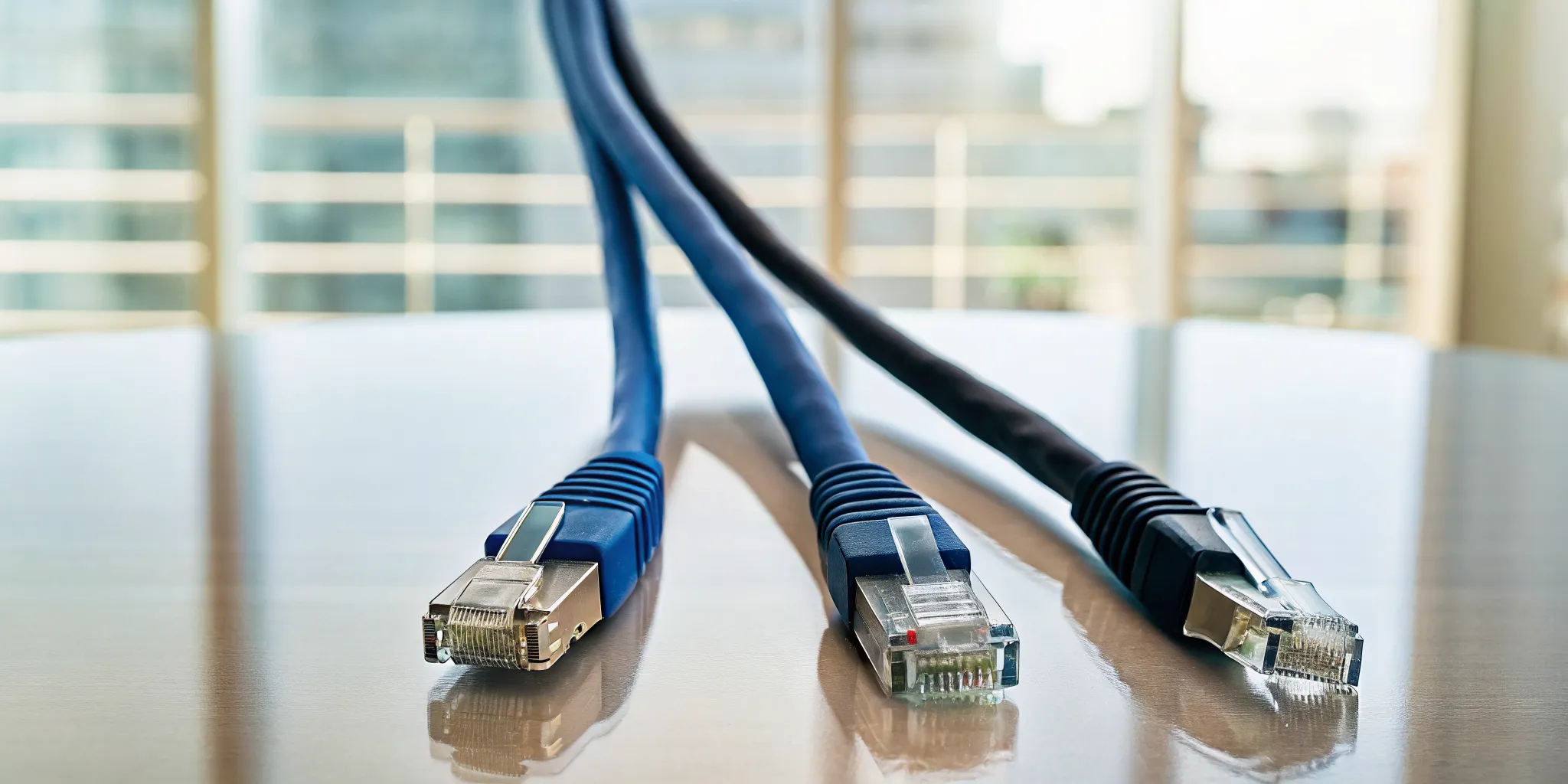
Let’s cut through the technical jargon. Choosing your network cable is like picking a vehicle for a job. Cat6 is your reliable sedan, perfect for daily commutes like email and web browsing at 1 Gbps. Cat6A is a powerful truck, built to haul heavy loads like large design files and high-quality video at 10 Gbps. Fiber optic is a high-speed train, connecting entire campuses at speeds of 40 Gbps or more. The question of Cat6 vs Cat6A vs Fiber: Which Is Right for My Business? isn’t about which is fastest, but which is the right tool for your company’s specific workload.
Key Takeaways
- Match your cable to your daily workload: Cat6 is sufficient for standard office use, Cat6A is built for data-heavy industries, and fiber is the best choice for connecting multiple sites or for ensuring maximum speed and reliability.
- Look beyond the price per foot: The true cost of cabling includes installation labor, compatible hardware, and potential future upgrades; a cheaper cable now can lead to expensive replacement projects and performance bottlenecks later.
- View Cat6A as the new standard for future-proofing: For most businesses, Cat6A provides the best balance of performance and cost, delivering 10 Gbps speeds to support future growth without the higher expense of a full fiber optic system.
Breaking Down the Specs: Cat6 vs. Cat6A vs. Fiber
When you’re looking at network cabling, the technical specifications can feel overwhelming. All you really want to know is which one will keep your business running smoothly without slowdowns. Let’s cut through the jargon and compare Cat6, Cat6A, and fiber on the three factors that matter most to your daily operations: speed, reliability, and responsiveness. Making the right choice here is fundamental to solid IT services and a frustration-free workday for your team. As a provider with over 15 years of experience in Tampa, we’ve seen firsthand how the right cabling infrastructure prevents costly downtime.
Speed, Bandwidth, and Distance
Think of bandwidth as the number of lanes on a highway and speed as the speed limit. Cat6 cable offers a 10 Gigabits per second (Gbps) speed limit, but only for a short distance of about 180 feet before it slows to 1 Gbps. It’s a solid choice for a smaller office. Cat6A, its successor, maintains that 10 Gbps speed for the full 328-foot length of the cable, giving you more flexibility in larger spaces. Fiber optic cable is a superhighway. It can handle speeds of 40 Gbps or more and send data for miles, making it the go-to for connecting separate buildings or for businesses that move massive files, like a construction firm sharing architectural plans.
Reliability and Interference
Network interruptions can bring a business to a standstill. A major cause is electromagnetic interference (EMI) from things like fluorescent lights, motors, or even other data cables. Standard Cat6 cables are susceptible to this interference, which can cause data loss and slow your network. Cat6A is built with better shielding to specifically combat “alien crosstalk,” which is interference from nearby cables. This makes it a more stable choice for busy offices. Fiber optic cable, however, is in a class of its own. Since it transmits data using light, it is completely immune to electrical interference. This makes it essential for environments like manufacturing floors or healthcare facilities where reliable data is non-negotiable.
Latency: Why It Matters for Your Business
Latency is the technical term for delay. It’s the tiny pause between when you click something and when the action happens. While measured in milliseconds, high latency can make your network feel sluggish. For most standard office tasks, the latency on Cat6 and Cat6A is perfectly acceptable. But if your team relies heavily on real-time applications, like VoIP phone systems, video conferencing, or accessing large databases from a cloud server, that delay becomes noticeable. Fiber optic cables have the lowest latency, ensuring your applications feel instant and responsive, which is critical for productivity in fast-paced legal or financial firms.
What’s the Real Cost of Each Cable?
When you’re budgeting for a network upgrade, the price tag on the cable itself is only one piece of the puzzle. The true cost includes the materials, the labor for installation, the network hardware required to support it, and any future maintenance. A cheaper cable today could lead to more expensive upgrades or performance bottlenecks tomorrow. To make a smart financial decision, you need to look at the total cost of ownership, not just the upfront price per foot. Let’s break down what you can expect to pay for Cat6, Cat6A, and fiber, both now and in the long run.
Upfront Installation and Material Costs
On a per-foot basis, Cat6 is the most budget-friendly option. Cat6A typically costs about 20-35% more than Cat6, while fiber optic cable materials can cost twice as much as an equivalent length of Cat6. For a small office in Tampa, this difference can add up quickly. However, material cost isn’t everything. The complexity of the installation also affects the price. While Cat6 is straightforward to install, the specialized tools and skills needed for fiber can increase labor costs. Our team provides comprehensive IT services that include professional installation, ensuring your cabling is done right the first time, regardless of the type you choose.
Long-Term Maintenance and Ownership Costs
This is where the initial savings of a cheaper cable can get complicated. While Cat6 is less expensive upfront, it’s limited to 1 Gbps over longer distances. If your data needs grow, you’ll face a complete replacement. Cat6A, despite its higher initial cost, supports 10 Gbps speeds, making it a more “future-proof” investment. Installing it now means your infrastructure is ready for faster speeds when you eventually upgrade your routers and switches. This strategic planning is a core part of our IT consulting, helping you balance today’s budget with tomorrow’s performance demands. Fiber optics offer the most longevity with nearly limitless bandwidth potential, but can require specialized maintenance if damaged.
Hidden Costs to Watch For
Physical differences between the cables can lead to unexpected costs. Cat6A cable is noticeably thicker and less flexible than Cat6, which can make installation more challenging and time-consuming, especially in tight spaces like existing conduits or crowded server rooms. This stiffness can translate to higher labor costs. Furthermore, Cat6A’s thickness is partly due to better shielding, which is designed to prevent “crosstalk” (interference between bundled cables). In a dense wiring environment, this is a huge plus for data integrity. However, it’s a factor your installation team must account for. Properly managing these physical constraints is key to a successful and reliable network deployment.
How Difficult Is Each Cable to Install?
The physical installation of your network cabling is a major factor in your project’s total cost and timeline. It’s not just about the price of the cable itself; it’s about the labor, tools, and expertise required to get it running properly. A simple-looking cable run can become complex depending on your building’s layout, the cable type you choose, and the skill of the technicians. Let’s break down what to expect with each option.
Cat6: The Flexible Standard
Think of Cat6 as the easiest to work with. Because the cable is relatively thin and flexible, our technicians can pull it through tight spaces, navigate sharp corners in walls, and manage it cleanly in crowded server racks. This makes it a great fit for retrofitting older buildings or for standard office environments where installation paths might be constricted. For a typical accounting firm in a downtown Tampa office, using Cat6 often means a faster, less disruptive installation process, allowing your team to get back to work with minimal downtime.
Cat6A: Balancing Performance and Complexity
Cat6A offers a significant performance jump, but it demands more from the installation process. These cables are thicker, stiffer, and heavier than Cat6 due to added shielding and tighter wire twists. This means they have a larger bend radius; you can’t just yank them around a 90-degree corner without risking damage and performance loss. Installing Cat6A requires more space in cable trays and conduits and more careful handling. For a new construction project, like a healthcare clinic in Wesley Chapel, planning for Cat6A from the start is key to ensuring a smooth installation.
Fiber Optic: The High-Skill, High-Reward Option
Fiber optic cable installation is a specialized skill. Unlike copper cables, fiber strands are made of glass, making them incredibly fragile. A kink or an improper bend can easily break the core and render the cable useless. Installation requires expensive, specialized tools for terminating and testing the connections, such as fusion splicers. This is not a job for a general contractor. Our technicians are certified in data cabling services and have the precise equipment needed to ensure your connections are perfect, providing the long-term reliability your business depends on.
How Your Building Impacts Installation
Your physical workspace is one of the biggest variables in any cabling project. Running cables in a modern office with drop ceilings and dedicated cable trays is straightforward. But doing the same in a historic St. Petersburg building with plaster walls and limited access points is a different challenge altogether. Factors like wall material, ceiling height, and even the Florida heat (especially when working in attics or non-air-conditioned spaces) can significantly impact the time and labor involved. That’s why we always start with a site survey to map out the best routes and identify potential obstacles before we begin.
Which Cable Fits Your Business and Industry?
Choosing the right network cable isn’t just a technical decision; it’s a business one that affects your network security services. The best option depends entirely on your daily operations, the type of data you handle, and your plans for growth. A law firm in St. Petersburg has very different needs than a small retail shop in Wesley Chapel, and their network infrastructure should reflect that. As an IT partner to hundreds of Florida businesses, we help leaders match their cabling to their goals, ensuring they get the performance they need without overspending on technology they won’t use.
Let’s break down the typical scenarios we see to help you identify the right fit for your company.
For Small Offices with Standard Needs
If your business primarily uses the internet for email, web browsing, VoIP phones, and accessing cloud applications like Microsoft 365, Cat6 is often the perfect fit. It’s the workhorse for small offices, delivering reliable speeds of 1 Gigabit per second (Gbps), which is more than enough for standard administrative and operational tasks. While Cat6 can technically support 10 Gbps, it’s only over very short distances (less than 180 feet), making it less ideal for future-proofing. For a small office layout, however, it provides excellent performance at a budget-friendly price point. This makes it a practical choice when you need a stable network managed as part of your overall IT support.
For Data-Heavy Industries (Healthcare, Law, Manufacturing)
For industries like healthcare, law, and manufacturing, data is everything. Transferring large files like medical images, extensive legal discovery documents, or complex CAD designs requires more network muscle. This is where Cat6A becomes the baseline. It guarantees 10 Gbps speeds over longer distances (up to 328 feet), ensuring performance remains high across a larger office or facility. Cat6A is also better equipped to handle Power over Ethernet (PoE) devices, such as advanced security cameras and modern Wi-Fi access points. For any Tampa business handling sensitive or mission-critical data, the superior shielding and performance of Cat6A provide a necessary layer of reliability and help maintain robust cybersecurity standards.
For Enterprise and Multi-Site Operations
When your operations span multiple buildings, a large campus, or require connecting a main office to a remote warehouse, fiber optic cable is the clear winner. Its primary advantage is distance. While copper cables like Cat6 and Cat6A are limited to 100 meters, fiber can transmit data flawlessly over many miles. This makes it essential for creating a network backbone that links separate locations. Furthermore, fiber is completely immune to electromagnetic interference (EMI), a critical feature for manufacturing plants or industrial sites with heavy machinery. For large enterprises planning for long-term growth, investing in a fiber infrastructure is the most effective way to prepare for future technologies and increasing data demands, often in tandem with a cloud migration strategy.
At-a-Glance: Cat6 vs. Cat6A vs. Fiber
When you’re looking at network cabling, the technical specs can get overwhelming fast. To simplify things, let’s break down the three main contenders: Cat6, Cat6A, and fiber optic. Each has its place, and the right choice depends entirely on your business’s current needs and future goals. Think of this as your cheat sheet for understanding what you’re paying for and what performance you can expect. Planning your network foundation is a critical part of your overall IT services strategy, so let’s get it right.
Cat6: The Everyday Workhorse
Cat6 is the reliable standard for many small to medium-sized businesses. It delivers speeds up to 1 Gigabit per second (Gbps) over distances up to 100 meters, which is more than enough for daily tasks like email, web browsing, and standard file sharing. While it can technically support 10 Gbps, this only works over very short distances (less than 55 meters), making it impractical for most office-wide 10G deployments. The biggest advantages of Cat6 are its cost and flexibility. The cables are thinner and easier to install, which helps keep labor costs down. It’s a solid, budget-friendly choice for businesses that don’t handle massive data loads and need a dependable network for everyday operations.
Cat6A: The Future-Ready Standard
Cat6A, with the “A” standing for augmented, is the next step up and the new baseline for modern businesses. It reliably supports 10 Gbps speeds over the full 100-meter distance, making it ideal for handling large file transfers, high-quality video conferencing, and connecting to powerful servers. This makes it a smart investment for data-heavy industries like law firms or healthcare providers. Cat6A cables are thicker and have better shielding to reduce interference, but this also makes them stiffer and a bit more challenging to install. The upfront cost is higher than Cat6, but it provides the headroom you need to support new technologies for years to come, making it a core part of a strong managed IT strategy.
Fiber Optic: The Ultimate Performer
Fiber optic cable is in a class of its own. Instead of sending electrical signals through copper, it transmits data as pulses of light through glass strands. This allows for incredible speeds (40 Gbps, 100 Gbps, and even higher) and massive distances, sometimes spanning several miles without losing signal. Because it uses light, fiber is completely immune to electromagnetic interference (EMI), making it the most reliable option for manufacturing floors or medical facilities with sensitive equipment. It’s the go-to for connecting separate buildings or ensuring your cybersecurity is tight, as fiber is much harder to tap into than copper. The trade-off is cost; both the materials and the specialized installation are significantly more expensive.
Debunking 3 Common Cabling Myths
When it comes to network cabling, there’s a lot of advice floating around. Some of it is helpful, but a lot of it is based on outdated information or one-size-fits-all assumptions. Making the wrong choice based on a myth can lead to overspending on infrastructure you don’t need or, worse, installing a network that can’t keep up with your business. Let’s clear the air and tackle three of the most common cabling myths we hear from businesses in the Tampa area. Getting the facts straight is the first step toward building a network that is both powerful and cost-effective.
Myth #1: “You always need the fastest cable available.”
The “fastest is best” mindset is an easy trap to fall into, but it’s not a practical approach for most businesses. While Cat6A and fiber offer incredible speeds, Cat6 is often more than enough for typical office environments. For many small to medium-sized businesses, a Cat6 cable, which supports speeds up to 1 Gbps, provides plenty of bandwidth for daily operations, including running cloud applications, VoIP phones, and even Power over Ethernet (PoE) devices like security cameras. If your team isn’t transferring massive files constantly, investing in 10 Gbps infrastructure is like buying a race car for a daily commute. A proper IT assessment can help you determine your actual speed requirements so you only pay for what you’ll use.
Myth #2: “Fiber is the only future-proof choice.”
While fiber optic cable is undeniably the pinnacle of network performance, it’s not the only way to prepare your business for the future. For many organizations, Cat6A is the perfect middle ground. It delivers 10 Gbps speeds, which is more than enough to handle increasing data demands for years to come, without the higher cost and installation complexity of fiber. A well-planned Cat6A network is a solid, long-term investment. The key is to build a scalable infrastructure. A trusted managed IT support partner can help you design a network that meets your needs today while leaving a clear and affordable upgrade path for tomorrow, whether that involves copper, fiber, or a hybrid solution.
Myth #3: “Cat6 and Cat6A costs are basically the same.”
This is a significant misconception that can throw your project budget off track. Cat6A cable is not only more expensive per foot, but its total cost of ownership is higher across the board. The cable itself is thicker and less flexible, which often translates to higher labor costs during installation. Furthermore, to actually use Cat6A’s 10 Gbps speeds, all your connecting hardware, from wall jacks to patch panels and network switches, must also be 10G-rated, and this equipment comes at a premium. The price difference isn’t just in the wire; it’s in the entire ecosystem of IT services and hardware required to support it.
How Do You Future-Proof Your Network for the Next 10 Years?
Choosing a network cable isn’t just about meeting today’s needs; it’s a long-term investment in your company’s IT infrastructure. The right choice will support your growth for the next decade, while the wrong one could force a costly and disruptive replacement project in just a few years. As a Microsoft Solutions Partner with over 10 years of experience, we help Tampa businesses build network foundations that are ready for the future of work, including the growing demands of cloud platforms like Azure and Microsoft 365. Planning ahead ensures your network can handle whatever comes next, from more powerful devices to data-heavy applications.
The Case for Cat6A as the New Standard
For most businesses looking to future-proof their office, Cat6A is the new baseline. While standard Cat6 can work for 1 Gbps speeds, it struggles to deliver 10 Gbps reliably over distances greater than 165 feet. Cat6A, on the other hand, is specifically designed to handle 10 Gbps speeds up to 328 feet, making it a much safer bet for the next 10 years. This capability is critical as file sizes grow, video conferencing becomes standard, and cloud applications demand more bandwidth. By installing Cat6A now, you build a robust foundation that supports future technology without needing a complete overhaul. It’s the practical choice for ensuring your managed IT support runs on a network that won’t become a bottleneck.
When to Invest in a Fiber-Only Infrastructure
Fiber optic cabling is the top performer for speed and distance, capable of hitting 40 Gbps or more over several miles. However, it’s not always necessary for every workstation. A full fiber infrastructure makes the most sense in specific, high-demand scenarios. For example, if your business operates across a large campus in Wesley Chapel or needs to connect multiple buildings, fiber is the only practical way to link them. It’s also essential for data-heavy industries like healthcare or manufacturing that transfer massive files between servers and machinery. Many businesses find a hybrid approach is the most cost-effective solution: using fiber for the network backbone and then running Cat6A to individual offices and desks. This gives you incredible speed where it matters most without overspending.
3 Questions to Ask Before Your Next Upgrade
Before you sign off on a cabling project, you and your IT partner should have clear answers to a few key questions. This isn’t just about technical specs; it’s about aligning your infrastructure with your business goals.
- What will our data needs look like in five years? Think about your growth plans, the software you’ll be using, and how your team will work.
- What does our physical layout require? A sprawling warehouse has different needs than a compact law office. Distance is a major factor in cable choice.
- What is the total cost of ownership? A cheaper cable today could cost you far more in lost productivity and replacement costs tomorrow.
Answering these questions is a core part of our IT consulting process, as it ensures the solution we design for you is built to last.
Making the Right Choice for Your Tampa Business
Selecting the right network cable for your Tampa business goes beyond just picking the fastest option. It’s a strategic decision that balances your daily operations, budget, and future growth, whether you’re in a historic Ybor City office or a modern high-rise in the Westshore district. The right infrastructure is key, so let’s walk through the factors that will help you decide between Cat6, Cat6a, and fiber.
Start by assessing your performance demands. A small law firm that primarily uses cloud-based documents and email will likely find Cat6, which supports speeds up to 1 Gbps, is perfectly adequate. However, if your business handles large data transfers, extensive video conferencing, or data-heavy applications common in healthcare or manufacturing, you’ll want to look at Cat6a. It supports much faster speeds up to 10 Gbps, giving you the headroom needed for demanding tasks. For the most intensive operations, like a data center or large enterprise headquarters, fiber optic remains the top choice, offering speeds of 40 Gbps and beyond.
Next, consider the installation realities of your workspace. The physical layout of your office plays a big role. Cat6 cables are relatively thin and flexible, making them easier to run through existing walls and conduits. On the other hand, Cat6a is thicker and stiffer, which can make installation more complex and costly, especially in older buildings or tight spaces. A professional site assessment can help you understand these practical challenges and avoid unexpected labor costs down the road.
Finally, think about future-proofing your investment. It’s tempting to go with the most budget-friendly option, but consider where your business will be in five years. While fiber optic cables can support much higher speeds, Cat6a often hits the sweet spot by offering a significant performance jump that prepares you for future growth without the higher cost of a full fiber installation. Our IT consulting services can help you create a clear roadmap that aligns your technology infrastructure with your long-term business goals.
Related Articles
- 7 Signs to Upgrade your Business Before it’s too late! | IGTech365
- Computer Networking and IT Security. Installation, Configuration and Administration. | IGTech365
- IT Networking Blog | Tampa IT networking and computer specialists | IGTech365
Frequently Asked Questions
My current network uses Cat6 and seems to work fine. Is there a real reason to upgrade to Cat6A? That’s a great question, and it’s smart to avoid upgrading just for the sake of it. While your Cat6 network might handle today’s tasks, the real reason to consider Cat6A is to prevent future slowdowns. As you add more devices, use more cloud-based software, and handle larger files, your 1 Gbps Cat6 network can become a bottleneck. Upgrading to Cat6A gives you a 10 Gbps foundation, ensuring your network can support your business’s growth for years without needing a disruptive and costly replacement down the line.
Is fiber optic cable only for huge corporations, or could my small business benefit from it? It’s a common myth that fiber is only for enterprise-level companies. The truth is, fiber’s benefits are tied to function, not company size. If your business operates out of more than one building, even if they’re just across a parking lot, fiber is the best way to connect them. We also recommend it for creating an ultra-reliable network backbone within a single building, connecting your main server closet to other network closets. This ensures your most critical data pathways are immune to interference and have massive capacity.
You mentioned Cat6A is more expensive. What does that actually look like in a budget? The cost difference goes beyond the price per foot of the cable, which is typically 20-35% higher for Cat6A. To get the full 10 Gbps speed, all your hardware, including network switches, wall jacks, and patch panels, must also be rated for that speed, and this equipment comes at a premium. The cable is also thicker and stiffer, which can sometimes increase labor costs for installation. Think of it as an investment in a complete system, not just the wire itself.
Can I use a mix of different cable types in my office? Absolutely. In fact, a hybrid approach is often the most cost-effective and practical solution. A common strategy is to use fiber optic cable for the network “backbone,” which is the main line connecting your server room to other network closets. Then, you can run Cat6A cables from those closets to individual workstations and offices. This gives you incredible speed and reliability where it matters most without the expense of running fragile fiber cable to every single desk.
How do I know which cable my business actually needs without overspending? The best way to decide is to look beyond the technical specs and focus on your business operations. Start by asking a few key questions: What will our data usage look like in five years? Does our building’s layout present any installation challenges? What is the total cost of ownership, including future upgrades? Answering these honestly will point you to the right solution. A professional IT assessment can analyze your specific workflow and growth plans to give you a clear recommendation that balances performance and budget.